Starting a workout without knowing your glucose is a bit like driving without looking at the dashboard. A quick check takes seconds, and it helps you decide whether to go ahead, eat something first or wait. Here is how the pre-workout check in DiaFitus works and why it is worth making a habit.
Key takeaways
- Exercise can push glucose down or, with intense effort, up, so your starting number matters.
- People who take insulin or a sulfonylurea have a higher risk of lows during and after activity.
- DiaFitus asks for your glucose before each workout and gives plain-language guidance based on your medication.
- It is educational support, not medical advice. Your care team sets your targets.
Why check before you move?
Physical activity helps muscles take up glucose, which is great for long-term health but can cause a low if you start with a lower number, have recently taken insulin, or exercise for a long time. Hard, short efforts can instead raise glucose for a while. Diabetes guidelines, including the ADA Standards of Care, encourage checking glucose around exercise for people at risk of lows and adjusting with the diabetes care team.
Because the right action depends on your treatment, your starting number and the type of session, there is no single rule for everyone. That is why a personal check beats guessing.
What the check looks like in DiaFitus
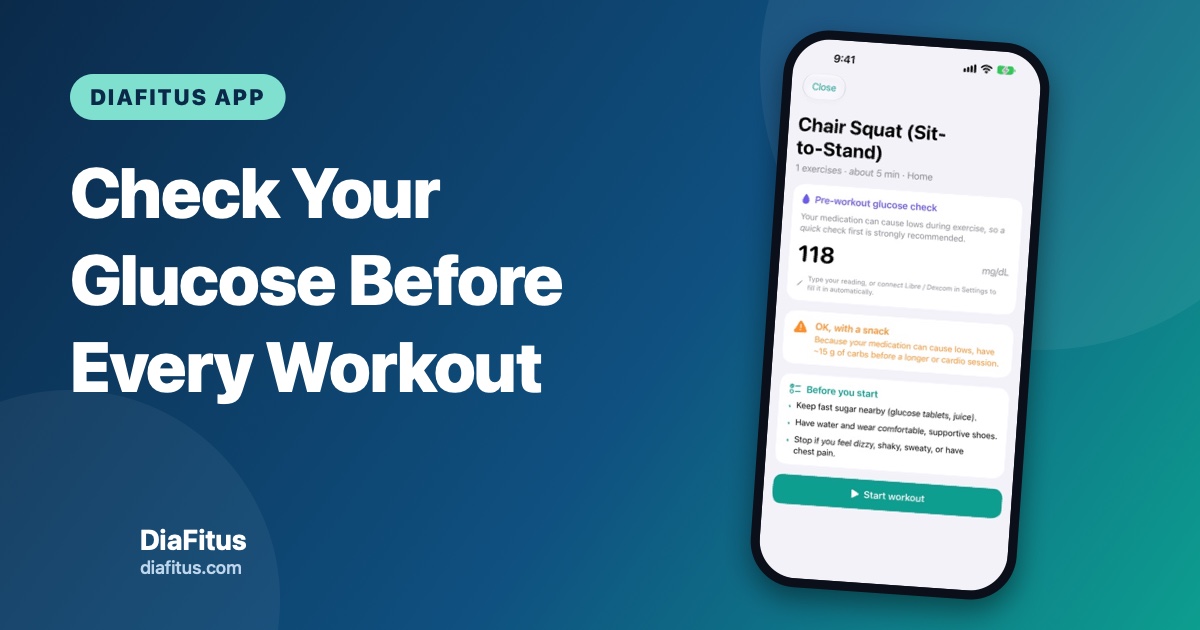
Before you start a workout, DiaFitus asks for your current glucose. You can type your reading, or read it from your sensor if you have connected one. The app then shows guidance in plain language, based on your medication and the kind of session. Typical outcomes are:
- Go ahead: your number looks fine for the planned session.
- OK, with a snack: if your medication can cause lows, the app suggests having some carbohydrate before a longer or cardio session.
- Wait and treat a low: if you are low, treat it first. The built-in hypo support covers the 15-15 rule and snack ideas.
A short "Before you start" list reminds you to keep fast sugar nearby, bring water and stop if you feel dizzy, shaky, sweaty or have chest pain.
Ketones and delayed lows
Two extra safeguards are built in. If your glucose is high, DiaFitus reminds you about ketones. And if you are at risk of lows, it sends a reminder about two hours after your workout, because glucose can keep falling for hours after exercise ends.
See what the workout did
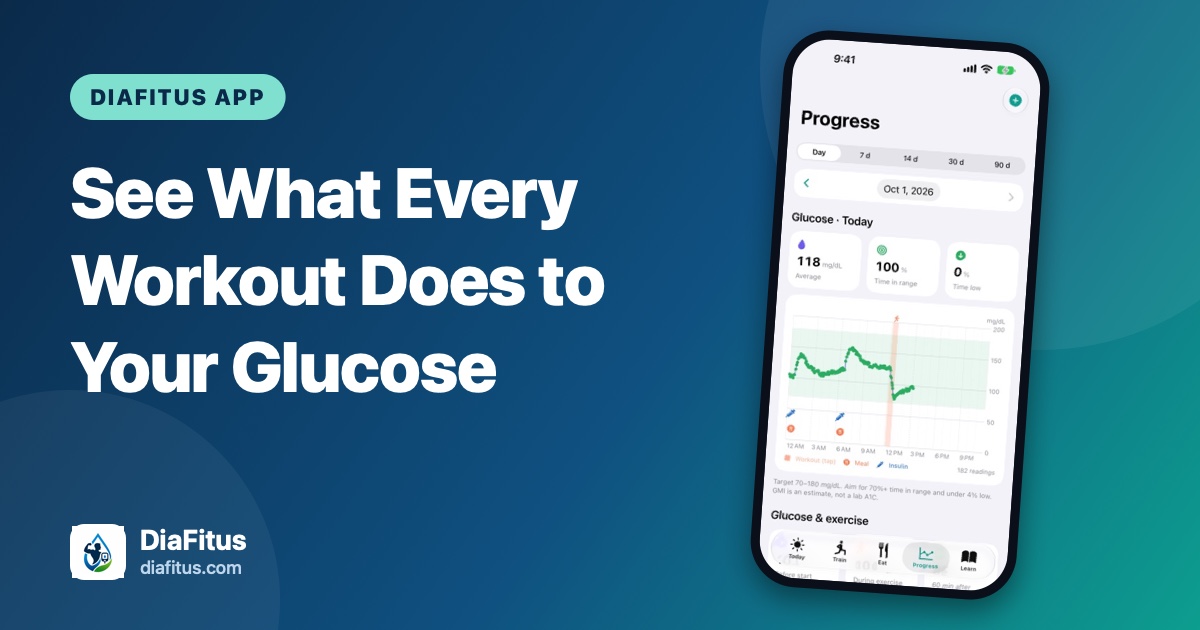
After the session, tap the workout on your glucose chart to see your glucose from one hour before to four hours after, including the lowest point. Over time this shows how different workouts affect you. Our guide to seeing what every workout does to your glucose explains the chart in more detail.
A simple routine to try
- Check your glucose and note recent insulin or medication.
- Read the guidance, and follow the plan your care team has given you if it differs.
- Keep fast-acting carbohydrate within reach.
- Start gently and stay aware of how you feel.
- Review your glucose afterwards and watch for lows later in the day or overnight.
Important limits
DiaFitus does not diagnose or treat diabetes, is not a medical device and does not replace CGM alarms or your doctor. Its guidance is general. Talk to your doctor or diabetes care team about your own glucose targets, medication adjustments and exercise plan, especially if you have complications such as neuropathy or retinopathy.
Libre and Dexcom are trademarks of their owners; DiaFitus is not affiliated with them.